
Hero Line Wars RoC v6.5
Author: Kueken & froggygoggy
Patch Compatibility:
1.24e - 1.27a LAN: Compatible1.32 - 1.36 Reforged: Compatible3.0.x Definitive: Untested
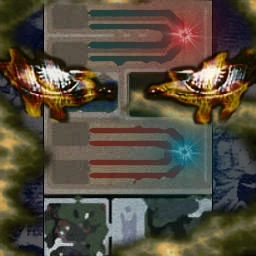
Terrain minimap
What's in the map file
Extracted from the map file40 chat commands20 quest entriesScript: JASS
Chat Commands (40)
-gameinfo-gi-info-i-mode-modes-m-gamemodes-gamemode-gm-random-r-lvlmax-agi-str-int-commands-command-?-help-k-kills-killShow all (40)
-upgrade-u-repick-switch-stuck-weather-level-test-refresh-debug-income-goldWave-change-back-camQuest Log (F9)
Version 6.3
Visit HLWDiscord.com or discord.gg/HLW for full release notes.
Changelog:
- New tooltips design
- QWER hotkey layout
- Updated icon border styling for passive and autocast spells
- Mode selection in dialog
- Bug fixes and performance tweaks.
I've left the remaining quest entries untouched. Credits still goes to Kueken and froggygoggy for this amazing map. And credits to Rubberneck who created the very first HLW map which HLWRoC and Lition was based on (he's also the original creator of Green TD).
Enjoy!
Type -commands for a list of chat commands.
Sincerly
bi_a_op
25th May 26
General Information
This Map is based on the TFT Map Hero Line Wars 7.6.6. For those, who know the original map, it will be easy to get along.
Everyone, who don't know how to play this map, read the first steps.
Game Modes
The host has to choose the game mode.
This can be done via command line within the first 20 seconds by typing - and the gamemode combination you want to choose.
For example:
-arstns
is a combination of -ar (allrandom), -st (same teams) and -ns (no shrine).
For all possible game modes look at the next quest.
If you want to check which mode the host has chosen, type
-gamemode or -gm.
Game Mode Description
Possible Game Modes are:
-ar (allrandom) : everyone gets a random hero.
-st (same teams) : both teams will get the same heroes.
-ns (no shrine) : shrines will be disabled.
-na (no auras) : the monster commander will be disabled.
-nk (no killer creeps) : avatars and dooms will be disabled.
-nu (no upgrade bonus) : no bonus for upgrading to best creeps.
-nh (no hero monsters) : hero monsters will be disabled.
-nl (no level bonus) : random heroes will have level 1.
-nb (no hitpoint bonus) : disables the hitpoint bonus for tier 1 creeps.
-tu (team upgrades) : you can only upgrade your creep to your team's respective theme.
First Steps
After you choose your hero, summon monsters and kill all monsters before they reach your circle of power.
Use your spells wisely. It is wise to focus on specific spells/abilities to upgrade.
You may find it better to save a level-up if you do not see a spell/ability you want to use.
Monsters
In the middle of the map are town halls, one for each player. They are used to summon monsters against the other team.
When summoned, a monster spawns in the enemy’s lanes and tries to reach the other team’s circle of power. When a monster reaches it the other team loses a life. However, if the other team kills your monster they receive gold and experience.
Choose monsters carefully.
You can upgrade your town hall to send better monsters. You have the choice between good side and bad side monsters when you upgrade.
For upgrading to best creeps you get an income bonus. To find out how much, type -upgrade.
Income
Every monster you summon to kill your enemy will result in an increase of your income. Income is money you get periodically.
So when you summon many monsters your Income will grow and you can summon better ones.
Hero Fight
Now its your turn: Pick your hero and prevent all enemy monsters to reach your circle of might.
Use the spells wisely! It could be helpful to learn not all skills from the beginning on.
Win
Each force starts with 100 lives. You win the game when 100 of your monsters reach the other team’s circle of power.
Version History
Changes in 5.3b
-fixed some bugs from v5.3
You can find a complete changelog at www.hlwroc.net
Income Board
In the top right corner is the income board. It lists all players, incomes and lives each team has remaining.
There is a button to close and open this window.
Shrine
Each player has a shrine with powerful spells and is located to the right of your team’s circle of power.
When the shrine is used to attack monsters you receive no gold from the kills. However, heroes gain experience.
A special sign appears over the shrine when used.
Shrines can be disabled via gamemode (-ns).
Items
There are three shops to the right of the circle of power.
These shops provide many important items required to win games such as potions, tomes, shields, etc.
You can buy everything you need in the shops without being there with your hero. The bought items will be stored in the circle in front of the shop and can be given to your hero by walking in the circle.
Commander
Each side has got a Monster Commander left of their circle of power.
These commanders provide auras assisting your creeps. You can choose the commander for you by stepping in the circle in front of it. Then you can buy an aura for the given price. Auras have 3 levels and you can learn 2 auras max. So choose wisely. You can learn your second aura after buying your first aura to level 3.
You do not need to stay in the circle to choose the skills, you only have to step in one time to choose the building!
Auras can be disabled via game mode (-na).
Additional commands
You may use the following commands during a game:
-str max
Buys strength for your hero for all your money
-str x
Buys x strength for your hero
These commands work also with agi, int, lvl instead of str
-switch
This command allows one to switch heroes with another player. The other player must accept the switch.
-cam x
Replace x with 1, 2 or 3 (e.g. –cam 2) to set your camera position.
-upgrade
Shows your income bonus if you would upgrade to best creeps now.
-gamemode, -gameinfo
shows the current gamemode / gives information about it.
Singleplayer
In single player games the following commands are allowed:
-level
Sets you hero’s level to 120
-income x
Adds x income to all players
-wave x
Replace x with a value between 1 and 64 (e.g. wave 6) to send two monsters of that type.
-refresh
all abilities have no cooldown.
Debug
There is an additional mode activateable together with all modes mainly for singleplayer testing:
Write
-debug
within the first 20 seconds to activate the debug mode. It will enable a simple "singleplayer" modus, you will get every creep you sent yourself to test some heroes in singleplayer.
Additionally win/lose conditions are disabled in this mode.
Teleport
A level 120 hero receives the ability to blink, or teleport, to the other team’s lane. There you can attack your enemy. So watch your opponents’ level and prepare for them to teleport.
30% of a Hero’s attack always damages an opponent regardless of their level of armor and damage reduction.
Thanks
I wish to express thanks to froggygoggy, who has left warcraft. Creating this with you was awesome :)
Also thanks to all people who helped finding bugs; especially the beta testers.
for all the emails and good ideas
and last but not least to all HLW fans.
Special thanks to inwarcraft mapping forums and members.
Credits
Credits go to the original makers of HLW for this awesome map concept;
to all model makers for Bebi, katana, pistol, bullet, BGF staff, etc;
Vexorian for xe, jasshelper, map optimizer, timerutils and much more
Pitzermike for widgetizer
Cohadar for pui
and all I have forgotten ;)
Map Specifications
Terrain Dimensions159 × 97
Playable Area96 × 65
Suggested Players2,4,6,8,10
Max Slots10 slots
Size4.41 MB
Script EngineJASS
Graphics ModeSD & HD
Lobbies1,948
Author's description
Original in-game description by Kueken & froggygoggyMade by Kueken & froggygoggy
Original HLW RoC with major bug fixes and performance updates.
discord.gg/HLW
Released: 25 May 2026