
Run and Slide
Author: ZakkWylde-
Patch Compatibility:
1.24e - 1.27a LAN: Compatible1.32 - 1.36 Reforged: Compatible3.0.x Definitive: Untested
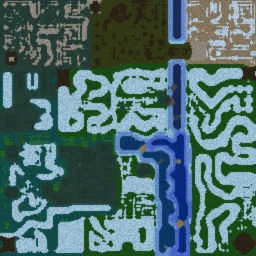
Terrain minimap
What's in the map file
Extracted from the map file2 heroes3 items14 chat commands9 quest entriesScript: JASS
Heroes (2)
NinjaNinjaDS
Chat Commands (14)
-invulnOff-replay-revivetest50-revivetest51-revivetest52-revivetest53-revivetest54-revivetest55-revivetest56-revivetest57-revivetest58-revivetest59-revivetest510-revivetest511Quest Log (F9)
Creator
Map made by ZakkWylde-.
Contact me with suggestions or bug reports at 'neemazad@gmail.com'
(Include the map name in the subject :D)
I had lots of testing help and suggestions from good friends.
NOTE: Despite the fact that this is currently a "TFT only" map, a hosting bot can host this map on RoC, with full functionality. [All TFT units will be RoC units instead.]
COMMAND CONTROL
In this map, I introduce the concept of COMMAND CONTROL. Whichever player has COMMAND CONTROL can -kill <color>, -kick <color>, and restart (i.e., that player has the powers commonly associated with Player red).
COMMAND CONTROL is by default given in the order of colors in the game lobby. If a player with COMMAND CONTROL quits the game, the next highest color will receive COMMAND CONTROL. (From first to last: #1 red, blue, teal, purple, yellow, orange, green, pink, gray, LB, DG, #12 brown.)
However, the player with COMMAND CONTROL can pass this power to a player of his/her choosing with any of the following four commands:
-giveCommandControl <color>, -gCC <color>, -gcc <color>, -gl <color>
Beware, once given, COMMAND CONTROL cannot be forcibly revoked. (Try asking nicely :D)
If you're wondering who has COMMAND CONTROL, type any of the four following:
-whoHasCommandControl, -wHCC, -whcc, -wl
Commands
<Many of the commands are taken from/are identical to those from Murloc Slide>
<Murloc Slide (and the methods for these colors/effects) were made by Maximaxou>
------------------------------------------------------------------------------
I am happy to announce THERE IS A WAY red can share control and be given control! In fact, any player can be given and revoked control through the following chat commands:
-share <color> (-se)
-unshare <color> (-ue)
(Obviously type the colors found below in place of <color>)
The colors are as follows:
red or rd
blue or be
teal or tl
purple or pe
yellow or yw
orange or oe
green or gn
pink or pk
grey or gray or gy
lightblue or lb
darkgreen or dg
brown or bn
black or bk
------------------------------------------------------------------------------
The effects are as follows:
-effect <effect>
alias ef, puts an effect on your hands
The effects are :
light or l
Commands cont'd - 1
fire or f
ice or i
corruption or c
poison or p
slow or s
-customEffect <effect> <bodyPart> [<effectNumber>(1-20)]
alias ce, puts an effect on the specified body part
The body parts are :
leftHand or lh
rightHand or rh
leftFoot or lf
rightFoot or rf
overhead or oh
head or h
origin or o
chest or c
-noEffect
alias ne, destroys all the effects
-deleteEffect <effectNumber>(1-20)
alias de, destroys the specified effect
To change Ninja's color:
-<color> (i.e., -red or -rd to become red)
Change the base color of your character
-vertexColor [ <red> <green> <blue> [<transparency>] ]
alias vc, change the vertex color of your character.
The resulting color depends on the base color of your character.
Commands cont'd - 2
The parameters are integer percentages.
Without parameters, it will randomly choose color percentages and select 0% transparency.
-noVertex
alias nv, remove the vertex color of your character--return to normal
------------------------------------------------------------------------------
Camera functions:
-cameraField <field>
alias cf, change the field of your camera (starting field is 2500)
-resetCamera
alias rc, put the camera field you've chosen
Use this command if you accidentally zoom in (or out).
------------------------------------------------------------------------------
Self-kill (Do not let somebody trick you into typing this…. Self-kick is not in this.)
-kill
alias kl, kills your Ninja (until everyone revives)
------------------------------------------------------------------------------
Commands unique to the player with COMMAND CONTROL:
-restart
(this command restarts the game to its initial conditions)
-kill <color>
alias kl
-kick <color>
alias kc
Additional Credits
Help from Jedimindtrixx.
Additional help from X.x-D.a.r.K-x.X.
Relentless testing by Bloodcreep. :D (Really, he was helpful.)
Last minute savior-ing by HoFFMaNN.
Sliding system by Sevion.
Locust/Collision by FaMoUs.
Terrain Kill Trigger by Nomorholywar (vJass-enized by Jedimindtrixx for optimization).
DemonHunter "Locust" by X.x-D.a.r.K-x.X.
[Dedicated to Molly. :D]
[Hopefully a challenge for Manono.]
Last Level Commands
Upon beating the last level, there is the option for the winner to type the following two commands:
-replay
This will give additional continues for everyone to continue trying.
-invulnOff
This will turn off the invulnerability to murlocs that is granted to the winner when the level is beaten.
Of course, the person with COMMAND CONTROL can type -restart at any time to start over from the beginning.
Day/Night Cycle
The player with COMMAND CONTROL may change the day-cycle in the game.
-day -- to set the time to noon (12:00) permanently
-night -- to set the time to midnight (0:00) permanently
-cycle <###> -- to set the rate of in game time change (Choose an integer value between 1 and 999. If no value is specified, it defaults to 100 -- i.e. 100% = normal.)
Lolwut? Murlocs?
Yeh, if you are priviliged enough to get to at least level 4, then you'll see murlocs. I figured since I loved murloc slide so much, I'd inlcude aspects.
(Feel free to e-mail me thoughts regarding slide speed and collision size on murlocs, but wait until you've played those levels a few times.)
Map Specifications
Terrain Dimensions128 × 128
Playable Area116 × 116
Suggested PlayersNinjas/Sliders
Max Slots12 slots
Size218.86 KB
Script EngineJASS
Graphics ModeSD & HD
Lobbies69
Author's description
Original in-game description by ZakkWylde-Run and slide to the end of this difficult maze.
--hosting bots can host Run and Slide on RoC with full functionality
This version is: v1.0